
Anson County Civil Docket Searches
The North Carolina eCourts Portal is the place to begin an Anson civil docket search. Smart Search accepts a party name or case number. Its advanced filters cover Civil Actions, nonconfidential Special Proceedings, and Estates. Pick Anson as the location first. That step matters. The Portal is statewide, and results can come from anywhere without it. The same Anson Clerk holds the records for Superior Court, District Court, estate, and many special-proceeding matters. Each has its own case types and calendar paths, though.
Enter an exact case number whenever you have one. A party-name query works too. Check the spelling. Then narrow by case type, status, or filing date only if the results run wide. Beyond the Portal, the Anson civil calendar, Portal Search Hearings, a public Clerk terminal, the paper or electronic Clerk file, the counter, and the Family Court office each offer their own route to the record. The Anson docket search page walks through the general Portal fields in detail.
- Open Smart Search and choose Anson as the location for the Anson civil court docket.
- Enter an exact case number or a party name. Add a Civil Actions, Estates, or nonconfidential Special Proceedings filter when it helps.
- Open the matching public Case Summary and verify the parties, assignment, and case information.
- Read Case Events, Hearings, Dispositions, and Financial Information in date order, then consult the Anson civil calendar for posted schedules.
- Ask the Anson County Clerk of Superior Court for an official file copy or certified judgment when an online entry is not enough.
Anson Civil Actions in Smart Search
In Smart Search, type a name or case number, then open Advanced Filtering Options. Set the Location control to Anson. The Portal covers the whole state, so that box keeps stray results out. Party Search Criteria offers a date-of-birth filter. Case Search Criteria narrows by case type, status, and filing date. State guidance also allows wildcards. A last name needs at least three characters before the asterisk, and a first name can use one character plus an asterisk. Those tools sharpen an Anson civil query without any guessing about case formats.
A broad query stops at 200 results. If an Anson name search hits that cap, add the location and a status, type, or filing window to cut it down. Registering lets you save public matters to My Cases. It grants no extra record access, though. Every Anson result is still a public Case Summary rather than the official record.
Civil Dockets: What They Show
Think of an Anson civil Case Summary as an activity index for one matter. Case Information and Assignment Information come first. Parties are listed next. Where applicable, Causes of Action appear as well. Case Events then lay out public activity in time order, and Hearings flag the listed court settings. Dispositions and Financial Information show up when relevant. Reading in that order helps you tell a filing or motion apart from a final order or judgment. It also explains why a summary can be genuinely useful yet still fall short of the actual pleading, order, or Clerk-certified judgment.
| Case Number | A four-part Odyssey identifier, such as 26CV000001-030, shown only as a generic Anson format example. |
|---|---|
| Parties and Assignment | The public case caption and the Anson court or location information shown in the Case Summary. |
| Causes of Action | A displayed case classification for applicable civil, family, probate, or mental-health matters. |
| Case Events and Hearings | The chronological Anson activity entries and listed settings, which should be checked for later changes. |
| Disposition and Financial Information | Recorded result and applicable money fields, not a substitute for confirming the current amount with the Anson Clerk. |
Public documents may be linked for an eligible Anson case. An entry that describes a document is not a certified copy of it. For a filed order or a certified judgment, follow the Anson Clerk access route.
Anson Civil Docket Number Limits
Anson civil cases carry the state's Odyssey number format. That format is a two-digit year, a letter for the case type, a six-digit sequence, a hyphen, and a three-digit county identifier. Anson's identifier is 030. So 26CV000001-030 works as a generic illustration only. No real matter carries that number here. Older civil files converted into the system may keep labels like CVD, CVM, or CVS. The Family Court office offers 00-CVD-0123 as a sample when it asks for a file number. That sample is not a universal current Anson format, though.
Search the number exactly as it appears on a notice, order, or public record. Wildcard searching on a case number needs at least four characters before the asterisk. When an Anson query returns nothing, the cause could be a format problem, a restricted category, a conversion or archive issue, or simply no matching case. Confirm the location and number first. Then turn to the Clerk or the terminal if the answer still will not surface.
What Cases Fill the Civil Docket
Know the trial level before any Anson civil docket search. Civil matters over $25,000 go to Superior Court. Matters at or below $25,000 belong in District Court. Magistrates hear statutory small claims within the applicable limit. Estates and many special proceedings run through the Anson Clerk or the probate channel. One Anson search and one Clerk structure can surface all of these paths, but a case type and its setting may still point to a different court division or calendar.
- Superior Court civil actions over the statutory $25,000 line.
- District Court civil actions at or below that line.
- Small claims assigned to an Anson magistrate within the statutory limit.
- Estates and probate-related matters handled through the Anson Clerk channel.
- Special proceedings and public family matters where the Portal makes the information available.
These are jurisdiction and access categories, not a full list of the labels an Anson Case Summary can display. Trust the Portal's displayed case information and the Anson Clerk's guidance instead of assigning a court from a case nickname.
Anson’s Civil Docket Amount Line
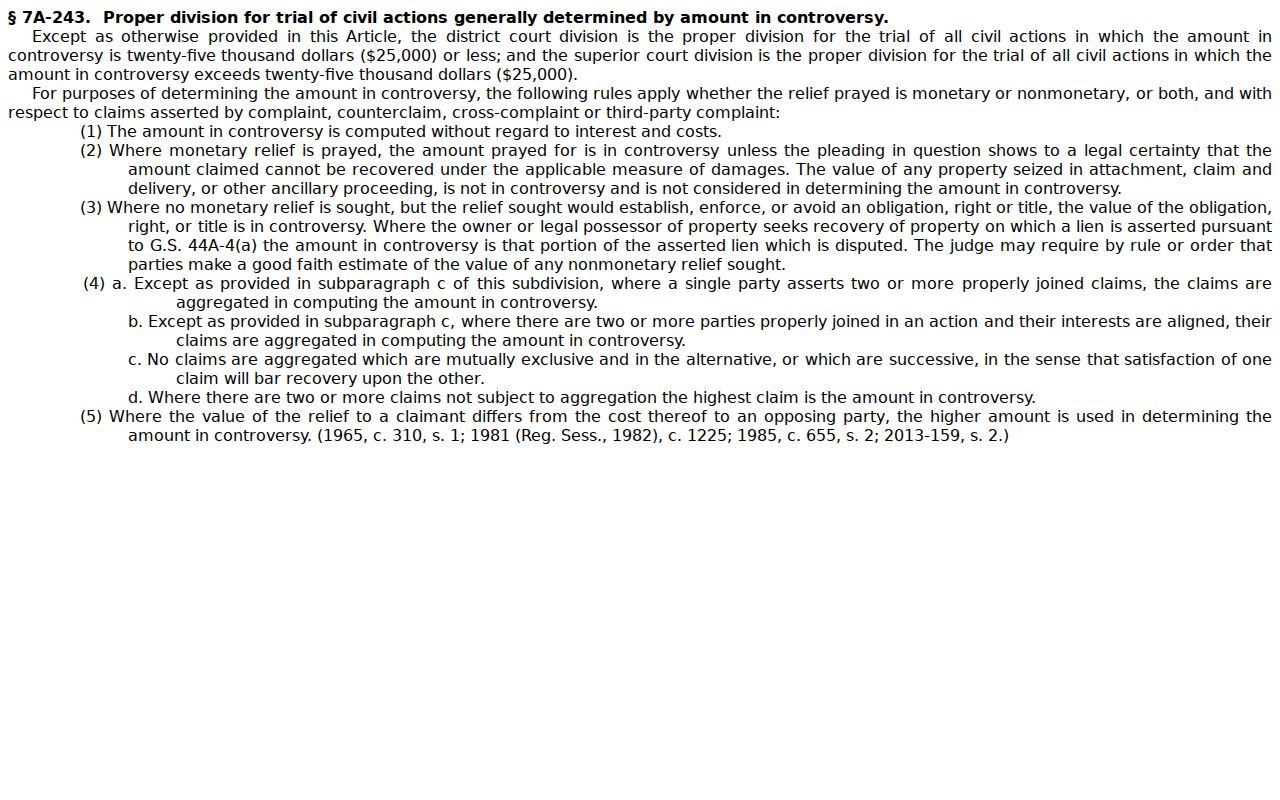
Money splits the docket in Anson County. The dividing line sits at $25,000. Under G.S. 7A-243, a civil action at or below $25,000 belongs in District Court, and anything above that amount goes to Superior Court. Treat the number as a search clue only. Procedural history can move a case between courts, so read the actual Anson case type, assignment, and events rather than trusting the dollar figure. The Anson Case Summary is the better starting point for any single record.
The statute spells out the full allocation rule between the two courts.
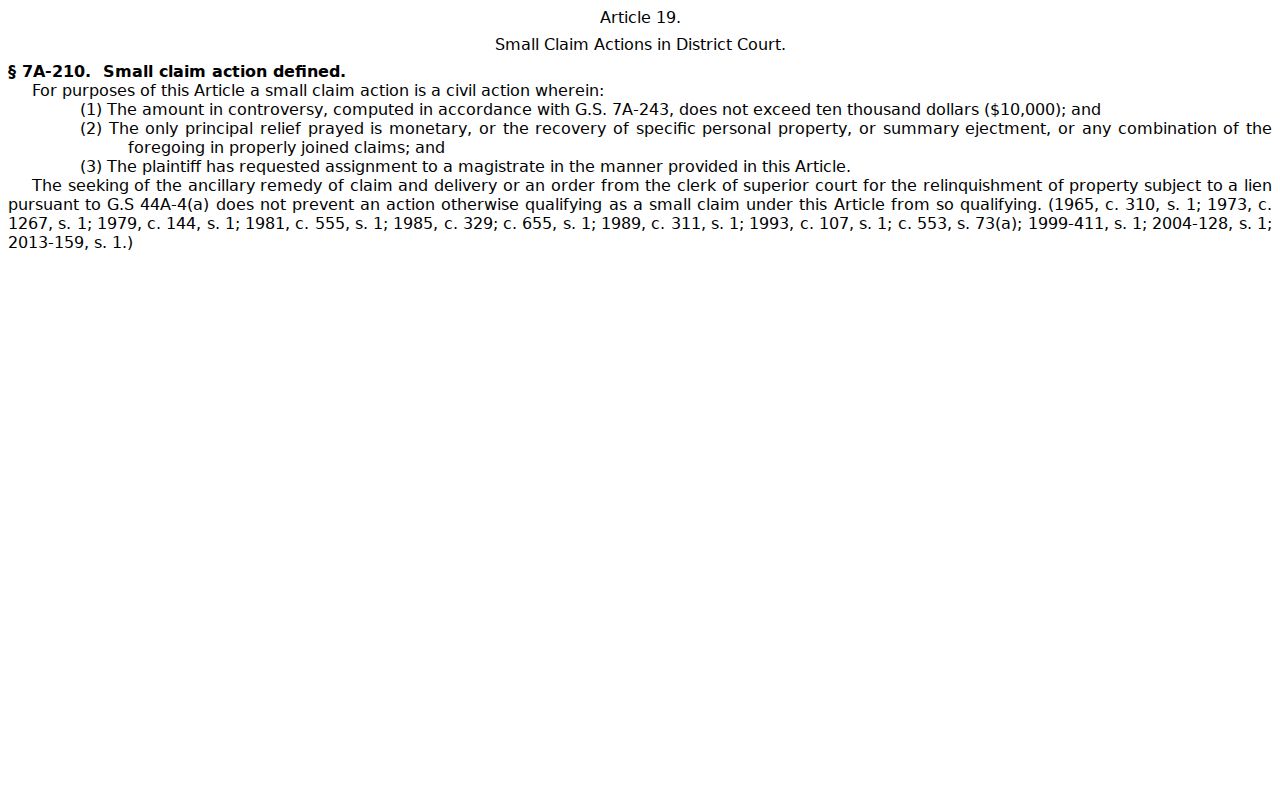
Small claims sit in their own statutory box. G.S. 7A-210 defines them as matters not exceeding $10,000 when a magistrate is assigned.
This line helps sort an Anson docket search. It never replaces the public case record, and the Anson Clerk can answer for an individual case.
Hearings on the Civil Docket
A hearing can surface in several places. The Case Summary, Portal Search Hearings, and the Anson civil calendar each carry part of the picture, so use them together. Search Hearings accepts a case number, party name, business name, attorney, attorney bar number, judicial officer, or courtroom. It also has a date-from field. The posted Anson calendar is dynamic. Confirm anything new or uncertain through the Anson Clerk or the appropriate court office.
The local Anson Superior Court Calendar Request splits requests into jury, non-jury, and motion settings. It also wants the nature of the case. Choices run from default, contract, negligence, and land dispute to caveat or other. The form asks the Trial Court Coordinator to calendar a matter. It is only a request. A final Anson trial date is not granted by it. Under the local civil management plan, the Coordinator handles case tracking and ready-case calendar work. That work runs under the resident judge's supervision.
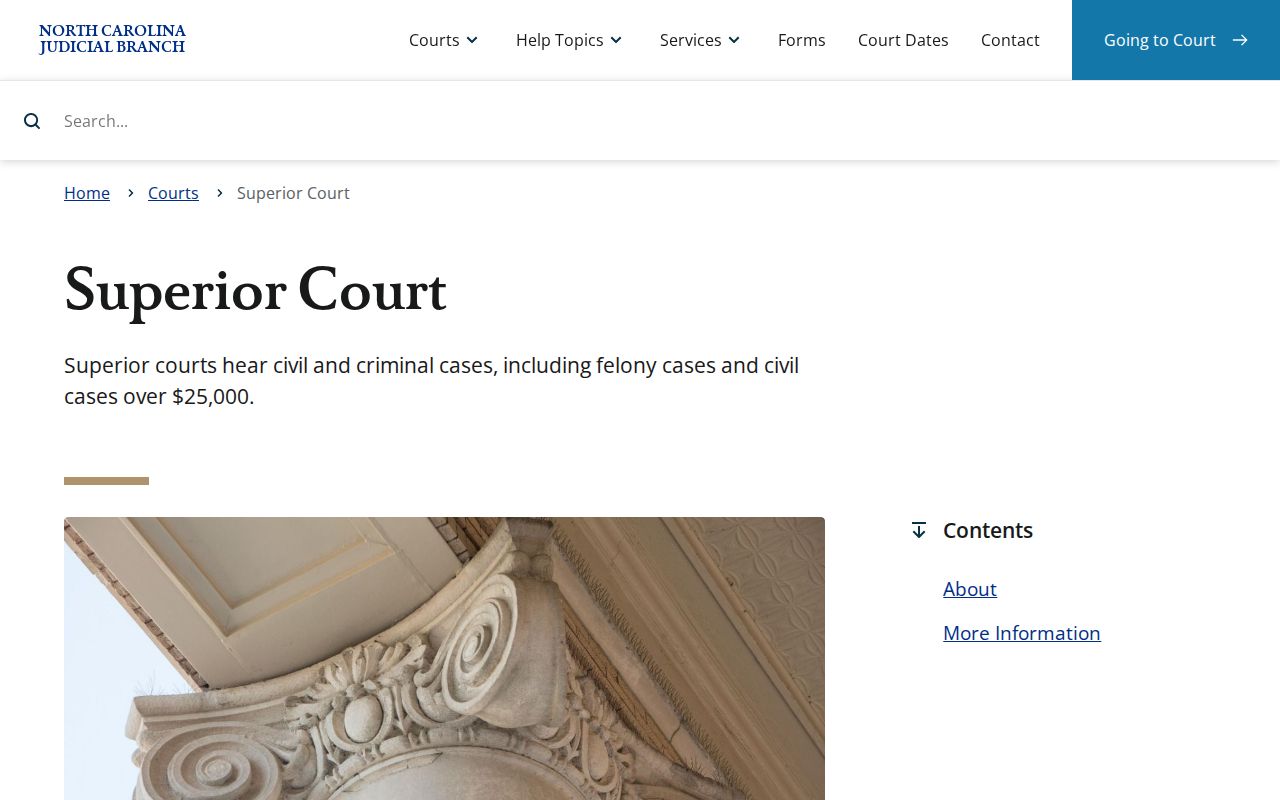
For jurisdiction background, the Judicial Branch page on Superior Court explains what that court hears.
Need a reset after a closure or a missed date? North Carolina sends those questions to the local Clerk. An Anson Calendar Request and an Anson hearing entry serve different purposes.
Anson Civil Calendar Request Steps
The Anson Superior Court Calendar Request wants the case number and caption. It also needs a jury, non-jury, or motion choice, plus a nature-of-case selection. Add a requested term beginning date and an estimated length. Motions need a readiness certification too. File the original with the Anson Clerk. Send a copy to the Trial Court Coordinator or Court Assistant. That workflow belongs to counsel or parties seeking a Superior civil setting. It is not the public method for ordering an Anson court record.
A filed request may appear as an event in an Anson civil Case Summary. Read it carefully. It does not lock in a hearing. Check the freshest Anson Portal hearing information and the posted Anson calendar first. Need confirmation? Call the Clerk at (704) 994-3800 or the court office. A continuance requires court action and is never guaranteed.
Note: A calendar request can explain why a case is being tracked. It does not establish the next hearing time.
Who Can See Civil Dockets
Who gets to look? The Clerk's record-keeping and inspection rule governs public Anson civil dockets. G.S. 7A-109 keeps Clerk-maintained files, dockets, and indexes open for public inspection during regular office hours, except where access is prohibited. The Portal offers free public case information. The Anson Clerk terminal is another public route. Neither one promises every image or protected item will display.
Sealed, confidential, juvenile, and other restricted material stays outside public Portal access. Registration cannot bypass those limits. A domestic-violence case may remain public while its online display is limited for protected data. Anyone entitled to inspect a restricted Anson file should ask the Anson Clerk about the lawful access path. A missing result proves nothing. It does not mean the case never existed or that another search type will find it.
Key Rules:
G.S. 7A-109 - Clerk-maintained public dockets and indexes are open to inspection unless another law prohibits access.
G.S. 7A-308 - Statewide Clerk copy, certification, and exemplification amounts apply when the Clerk prepares those services.
G.S. 7B-3000 - Juvenile records are not open to public inspection except as the statute or court order permits.
Anson Civil Clerk Copy Difference
Three products, three prices, one courthouse. A Portal printout is not a plain Clerk copy, and neither is a certified copy. Portal shows an available public Case Summary. The Anson Clerk holds the official case file and prepares copies. Under G.S. 7A-308, that preparation costs $2.00 for the first page of each document and $0.25 for each additional page or fraction. A certificate under seal adds $3.00. An exemplification runs $10.00. The statute promises no email delivery and no set processing time.
Some records need a person. That goes for a document behind an event, a certified judgment, an older paper file, or anything Portal will not display. Use the Anson Clerk counter, terminal, or phone. The broader Anson court case records page separates Portal access, Clerk copies, certification, transcripts, and audio records. For an Anson civil case, that distinction keeps a public docket search from being mistaken for an official record request.